HOW TO ADD ANOTHER COLLAR RECEIVER TO MY SIT MEANS SIT REMOTE TRANSMITTER
Before beginning the pairing process, you will need to program the remote transmitter to a multiple-dog mode. Modes allow you to change the function of the buttons. There are 3 multiple dog modes, and all allow you to have static stimulation.
- Mode 2 should be chosen if you want low static stimulation.
- Mode 3 should be chosen if you want medium static stimulation.
- Mode 4 should be chosen if you want high static stimulation.
For help on changing modes, visit HOW TO CHANGE THE MODES ON YOUR SIT MEANS SIT REMOTE TRANSMITTER.
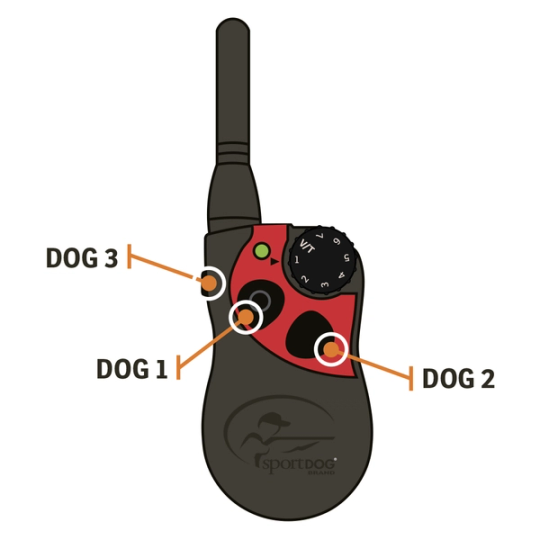
After changing to a multiple-dog mode, each button on your remote transmitter will now control one collar.
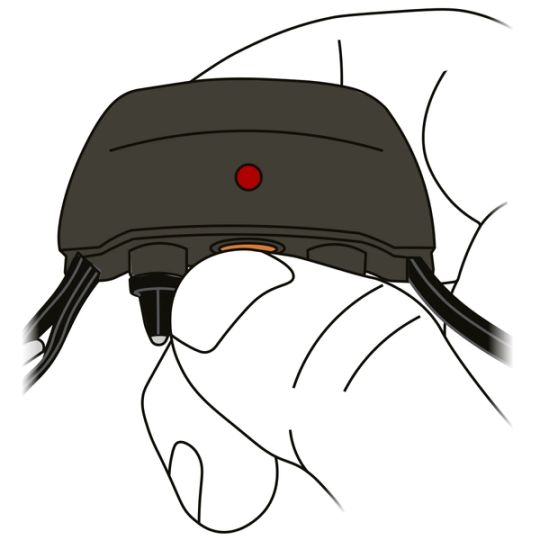
Grab the first collar you want to be paired. Ensure the collar receiver is off by confirming there are no lights after 10 seconds. To power the collar off, press the button until you see the red light and release.
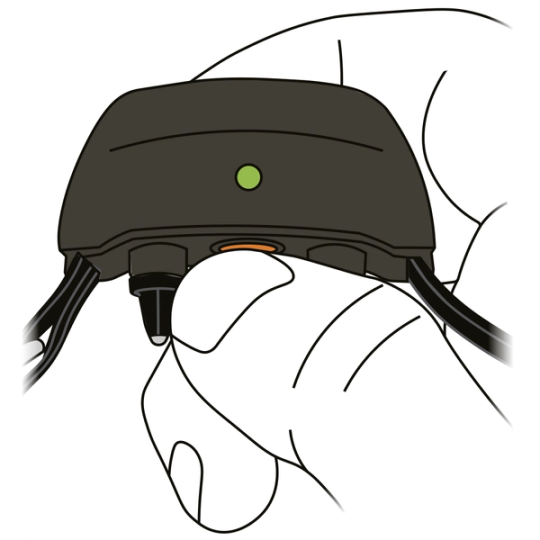
Press and hold the power button on the collar receiver. The Indicator Light will turn green. Continue to hold until the light goes out, then release the power button.
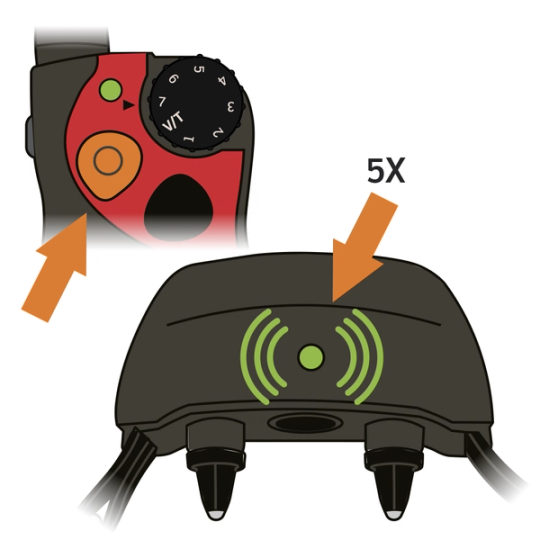
Press and hold the button on the remote transmitter that you want to correspond with that collar until you see the collar indicator light flash green 5 times. The collar is now paired.
Repeat these steps for the additional collars. Be sure to pair each collar to a separate button on the remote transmitter.
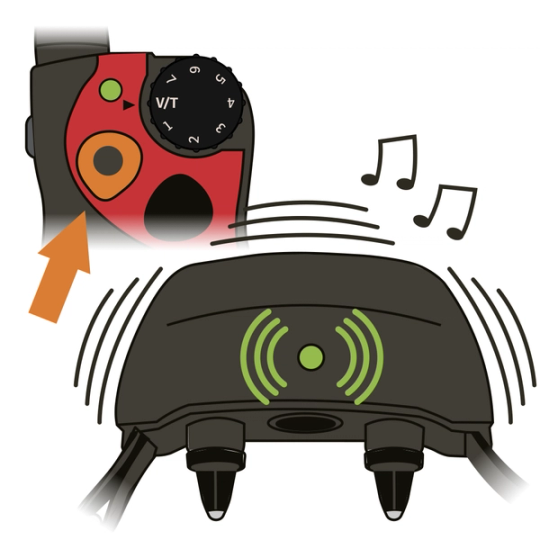
Test pairing.
- Turn the intensity dial to V/T.
- Press each button 1 at a time. The corresponding collar should vibrate.
- If you do not feel a vibration, start the pairing process over.
CONTACT CUSTOMER CARE
If you need further assistance, please contact our customer care team.