HOW TO PAIR TWO COLLARS TO MY CABELA’S® GUN DOG REMOTE TRAINER GS-8100
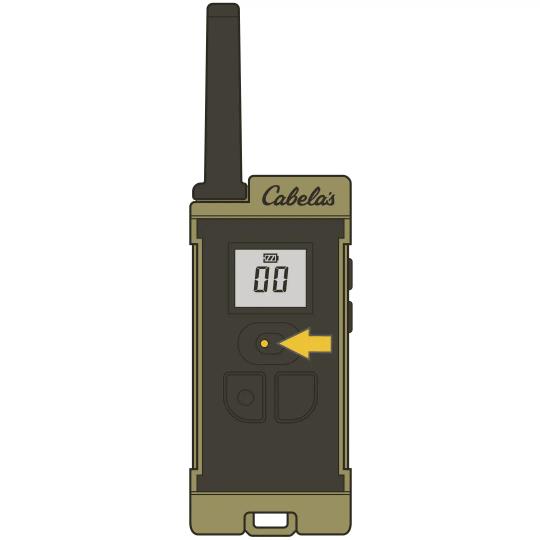
Ensure your toggle switch on your handheld remote is in the left position.
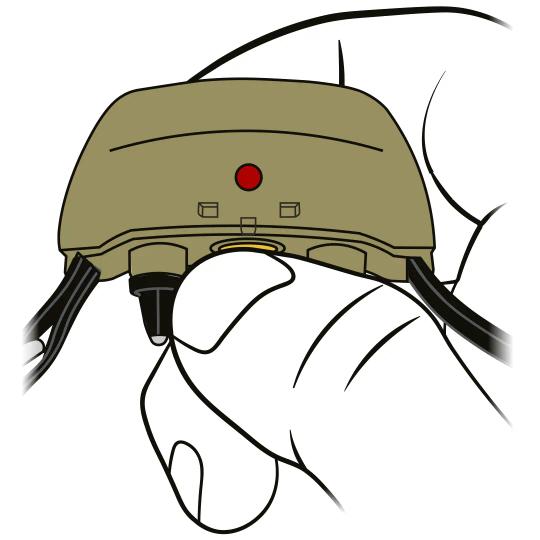
Ensure the collar receiver is off by confirming there are no lights after 10 seconds.
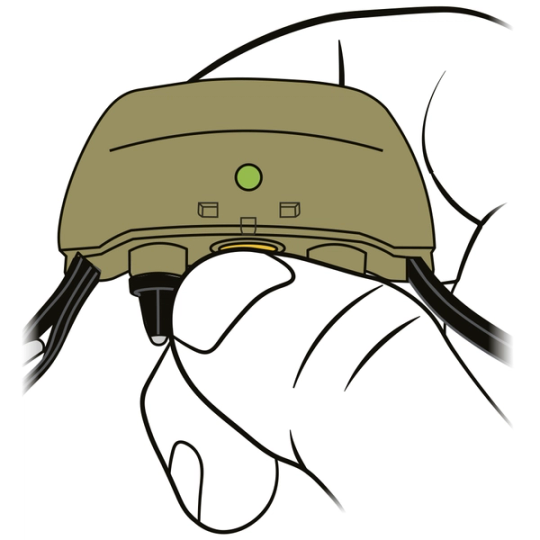
Press and hold the power button on the collar until the light goes out on its own.
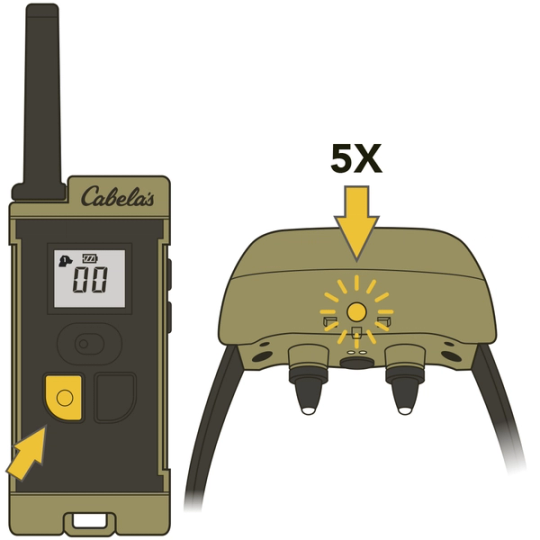
Press the button with the bump on the handheld remote. If the collar is paired successfully, the collar will flash rapidly to indicate it has received the signal.
“If you are only pairing one collar, leave the toggle switch to the left. Turning it to the right will cause the collar to not respond.”
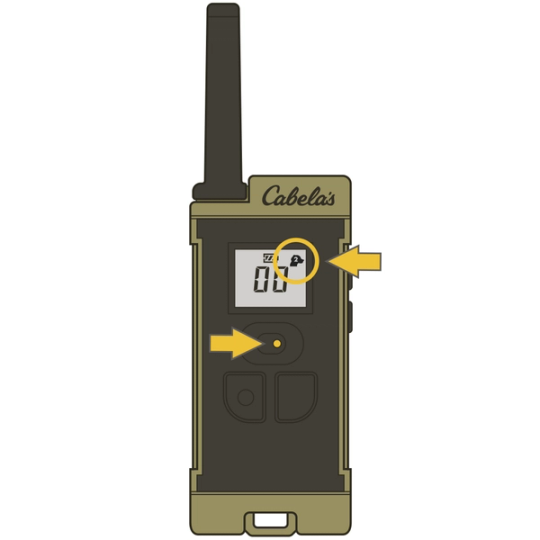
TO ADD A SECOND COLLAR TO THE SYSTEM:
- Move the toggle switch to the right position. You will notice in the upper right corner of the screen the Dog 2 icon will appear. Repeat steps 2-4 for the second collar.
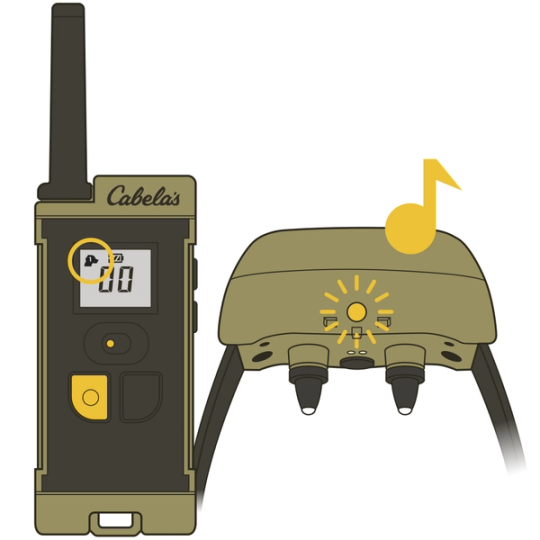
To Test the Pairing:
- Toggle the switch to Dog 1
- Select 00 on the screen by pressing the bottom right-side button of the handheld remote.
- Press and Hold the front left button on the remote.
- If the collar does not tone, repeat the pairing process.
To Test the Pairing when A Second Collar is Added:
- Toggle the switch to Dog 2
- Select 00 on the screen by pressing the bottom right-side button of the handheld remote.
- Press and Hold the front left button on the remote.
- If the collar does not tone, or both collars activate and the same time, repeat the pairing process.
CONTACT CUSTOMER CARE
If you need further assistance, please contact our customer care team.