HOW TO PAIR MULTIPLE DOGS TO MY SPORTDOG® BRAND SPORTTRAINER® SD-875
To add multiple dogs to your remote, you will need to unlock the additional spaces before pairing your additional collars.
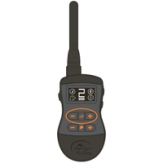
Using the Intensity Buttons (-/+), set the display to 2.
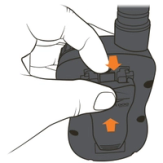
Remove the belt clip from the back of the remote by pulling the tab at the top of the clip towards you and sliding up at the same time.
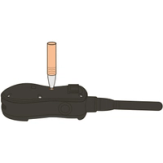
Locate the small button on the back of the remote. Use a pen or something small to press the button in. When the Mode Button is pressed, the dog head on the screen will disappear.
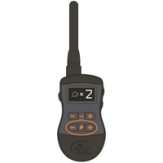
Using the Dog Buttons (-/+), select 2 or 3 dogs. Wait 5 seconds for the selection to blink and lock in.
Ensure your additional collar is powered off by confirming there are no lights on the collar after 10 seconds.
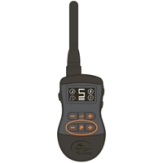
Select Dog 2 on the handheld using the dog selection + button. The dog head in the bottom left corner of the screen will show the number 2.
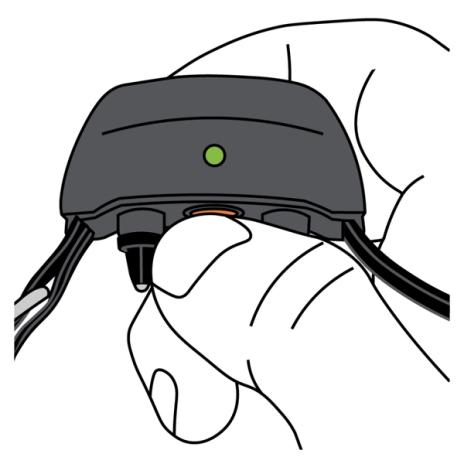
Press and hold the power button on the additional collar until the solid green light goes out, and release.
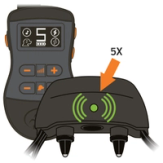
Press and hold one of the side buttons on the remote until the collar light flashes 5 times and release.
Test the pairing by pressing one of the correction buttons. If you are testing with a static correction button, the collar will light red when the button is pressed, otherwise you will hear a tone or feel the collar vibrate depending on the button pressed.
If the collar does not respond to the handheld remote, repeat steps 1-5.
If you have a third collar, select Dog 3 on your screen and repeat steps 7-9.
CONTACT CUSTOMER CARE
If you need further assistance, please contact our customer care team.