How To Change the Rubber Cover on My SportDOG® 425X 425XS and 425XCamo Collar
Before You Begin
- Your collar is still waterproof and submersible up to 25 feet without the rubber covers. However, they do help keep mud and debris from getting into the charge port and prevent physical damage to the charging system.
- If you need a replacement rubber cover, you must contact customer care.
- If you need to replace the battery, do this at the same time you change the rubber cover. Both tasks require opening the collar, so combining them saves time and effort. For step-by-step instructions, visit How To Change the Battery in My SportDOG® 425X, 425XS and 425XCamo Collar.
How To Replace Your Collar’s Rubber Cover
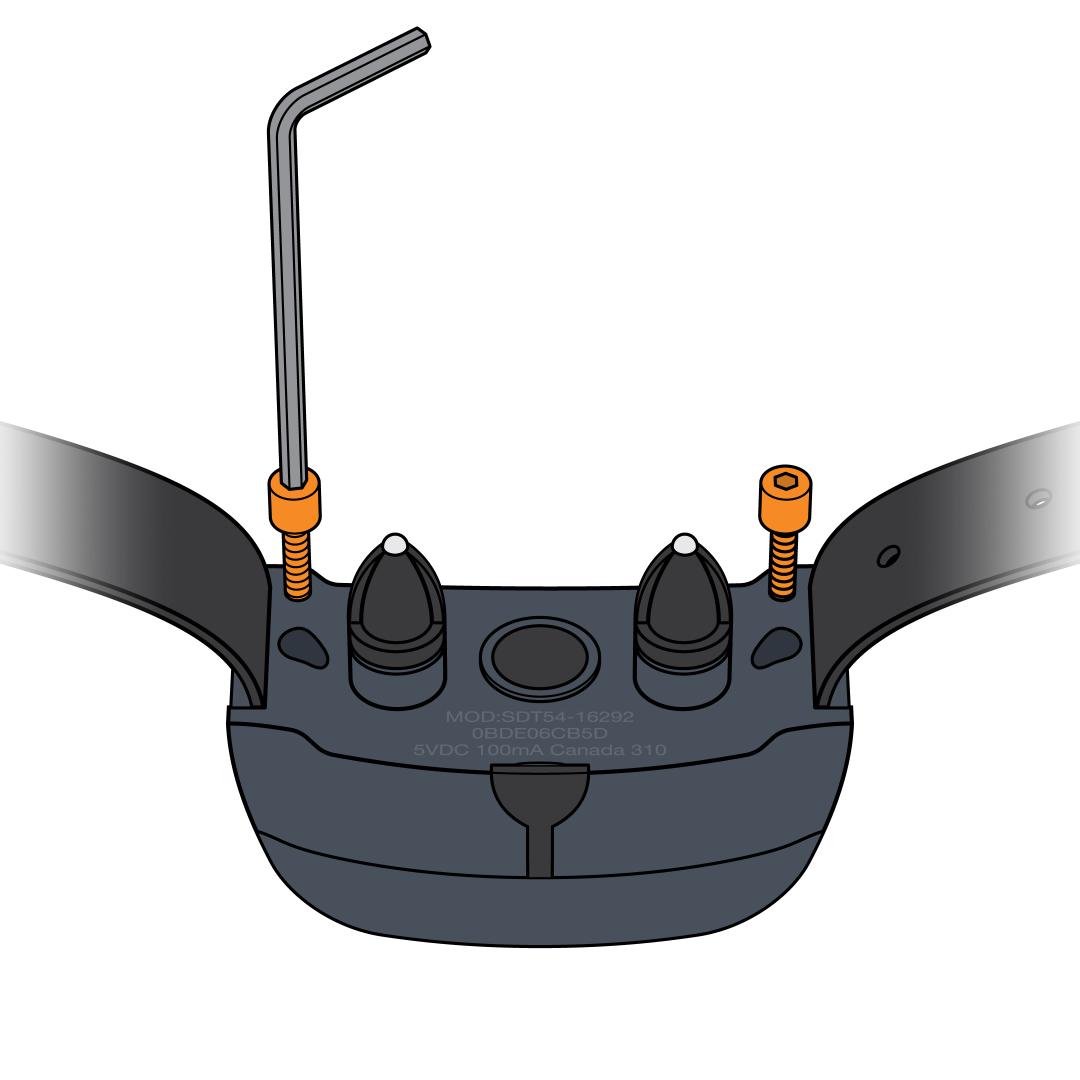
Remove the screws from the back. Use a 3/32 hex key to unscrew both screws on the back of the collar.
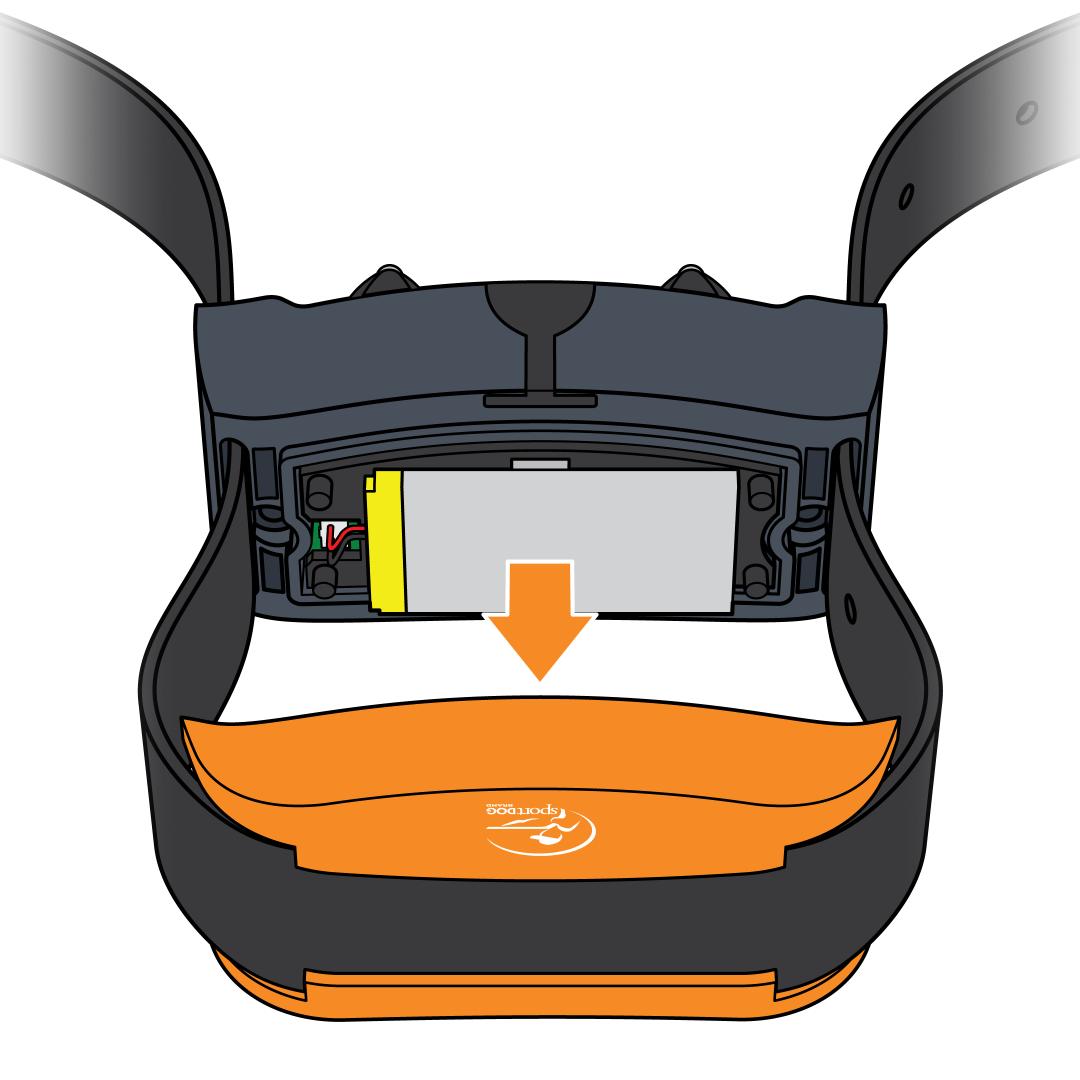
Separate the front and the back of the collar. Pull apart at the seam, allowing the strap to slide through the side slots.
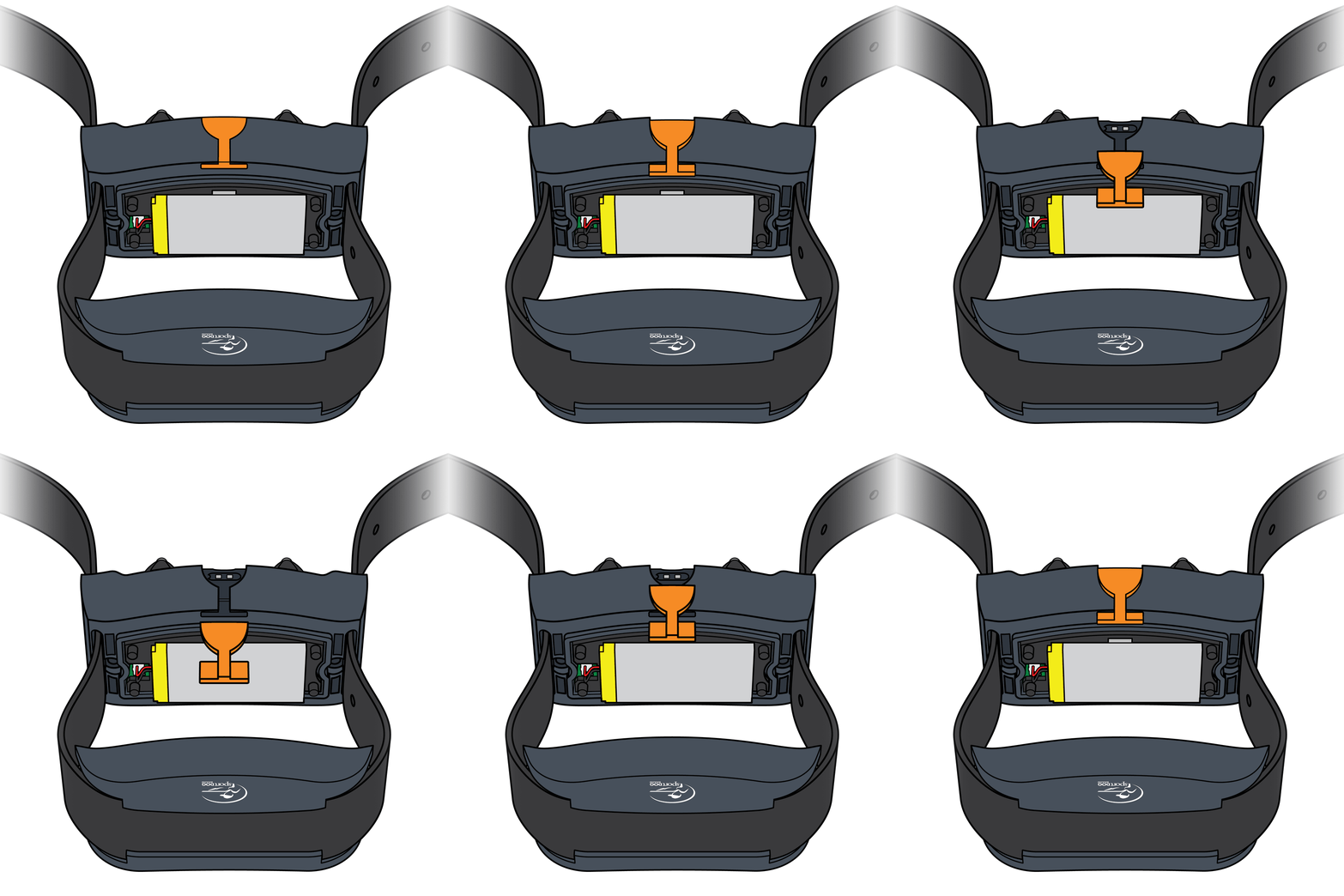
Remove the old rubber cover. Unplug the cover and slide it out. Even if your cover is missing, you should still check for any remnants.
Install the new rubber cover. Slide the T-shaped tab of the flap into the slot on the collar.
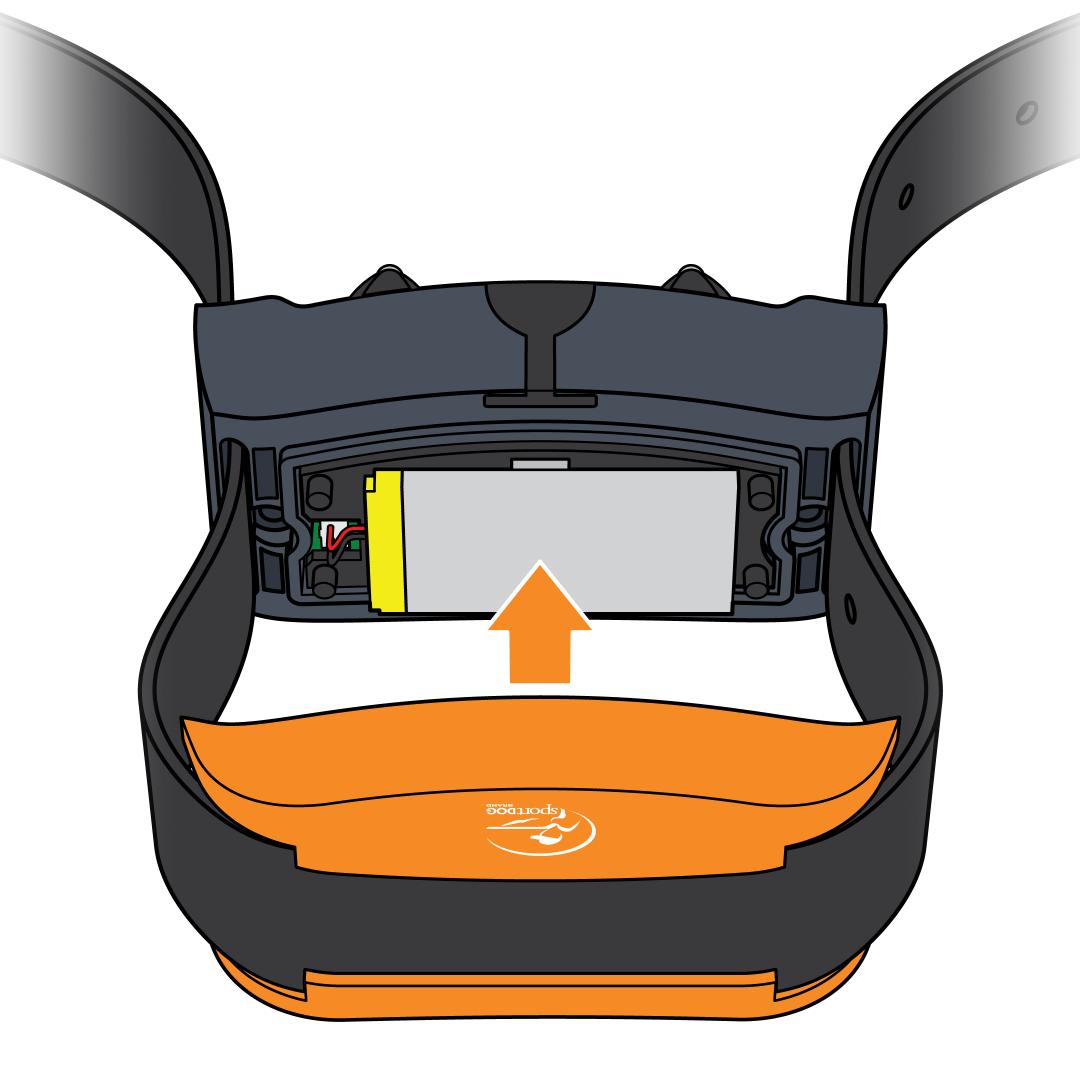
Reassemble the collar. Pull the straps back through the slots to put the collar back together. Tighten the screws with the hex key. Do not overtighten as this can damage the collar.