How To Change the Modes on My SportDOG® 425X, 425XS and 425XCamo Remote
Why Change Your Mode
Changing modes allows you to change what each button on your remote does. You change modes when:
- Adding another dog: Switch your remote to a multi-dog mode.
- Want vibration on a button: Your remote comes factory set to mode 5. Change the mode if you want a button to trigger a vibration.
- Received a replacement remote: Set the mode to match your previous remote.
- You accidentally changed your mode: Restore the mode you had before.
Before You Start
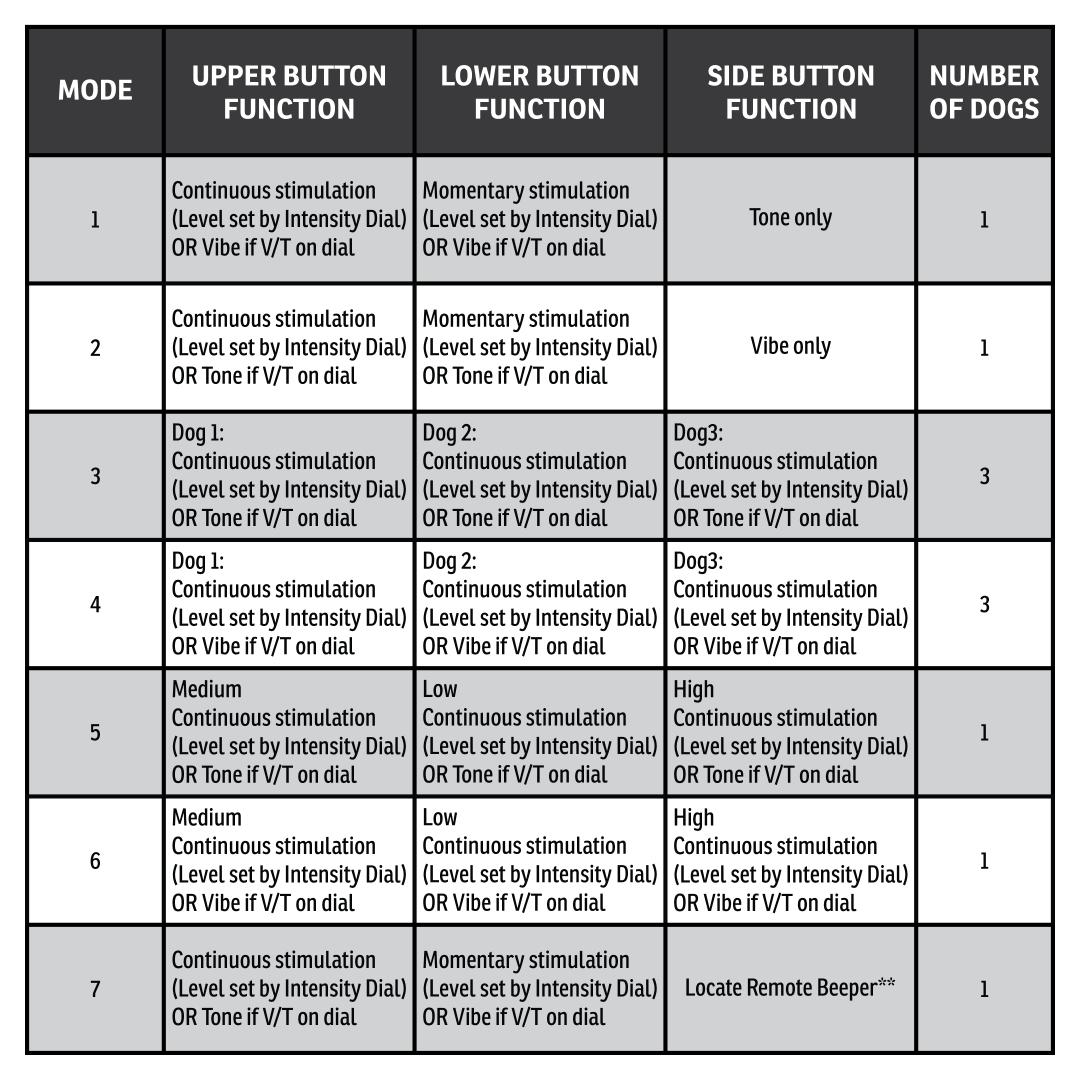
Decide which mode you want to use to train your dog. If you need further explanation of each mode, view the mode dropdowns at the end of this article.
Change Modes
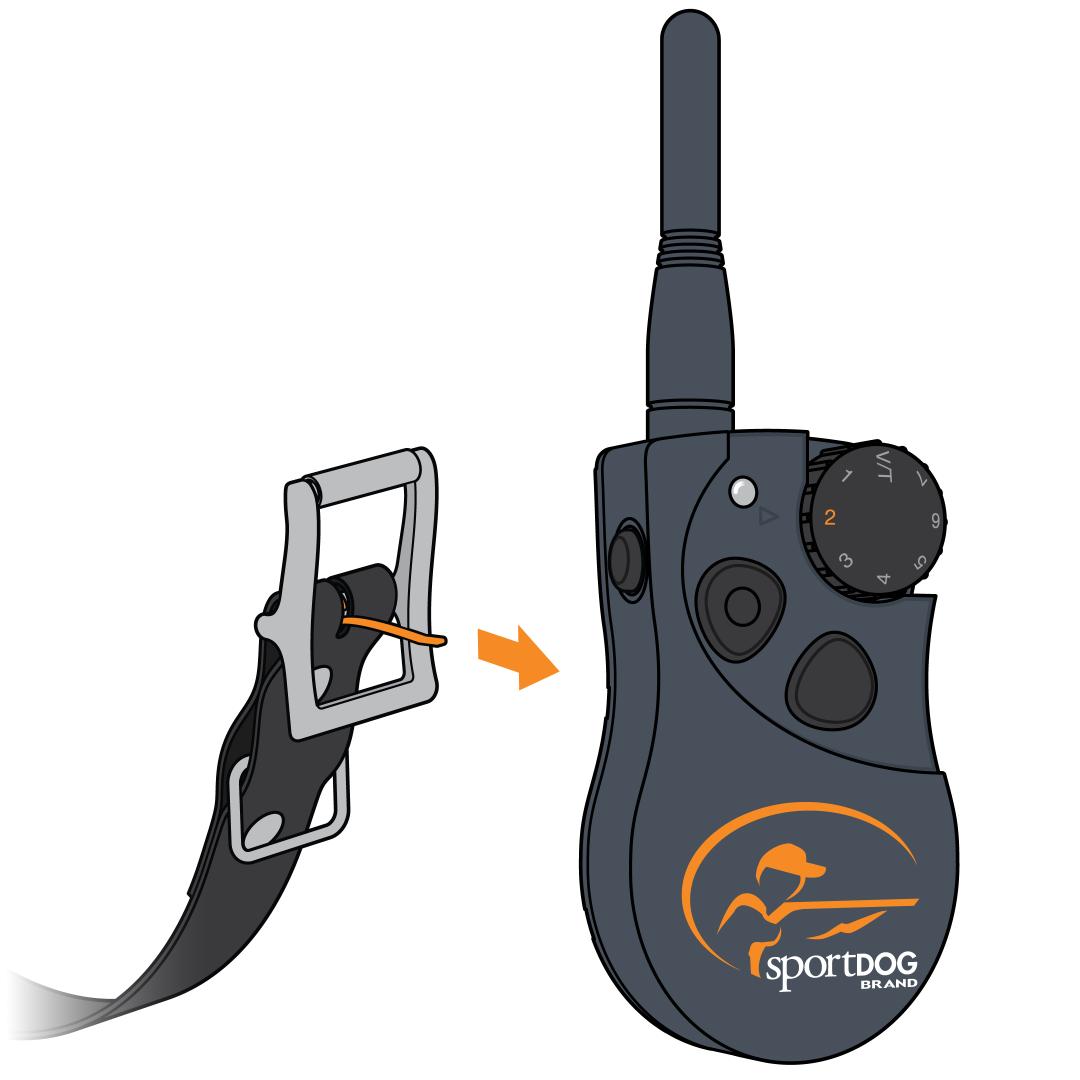
Adjust the Intensity Dial to the number of the mode.
For Example, for mode 2, turn the dial to 2.
Press the mode button on the back of the remote using the tine of the collar. When the mode button is pressed, the remote’s Indicator Light will be solid green.
Release the button. The Indicator Light will flash according to the mode selected. Example: For Mode 2, the remote will flash twice after the button is released.
Please note that if you change your mode to a multi-dog mode (modes 3 or 4), you still need to pair the collars. For more information, visit How To Pair a Collar to My SportDOG® 425X, 425XS and 425XCamo.