How To Change the ID Code or Add Another Remote To My Sportdog® 425X, 425XS and 425XCamo
When Do I Need To Change the Id Codes?
- To match 2 or more remotes to control the same collar(s)- For example, you and your spouse each want your own remote or you just want a backup remote.
- If 2 remotes control the same collar unintentionally- rare, but if it happens, change the ID codes on one remote.
Changing the ID on the SportDOG E-Collar
Choose your ID code. Decide on a 1- or 2-digit code from the Intensity Dial (e.g., 1 or 1-1). Write it down, you’ll need it later.
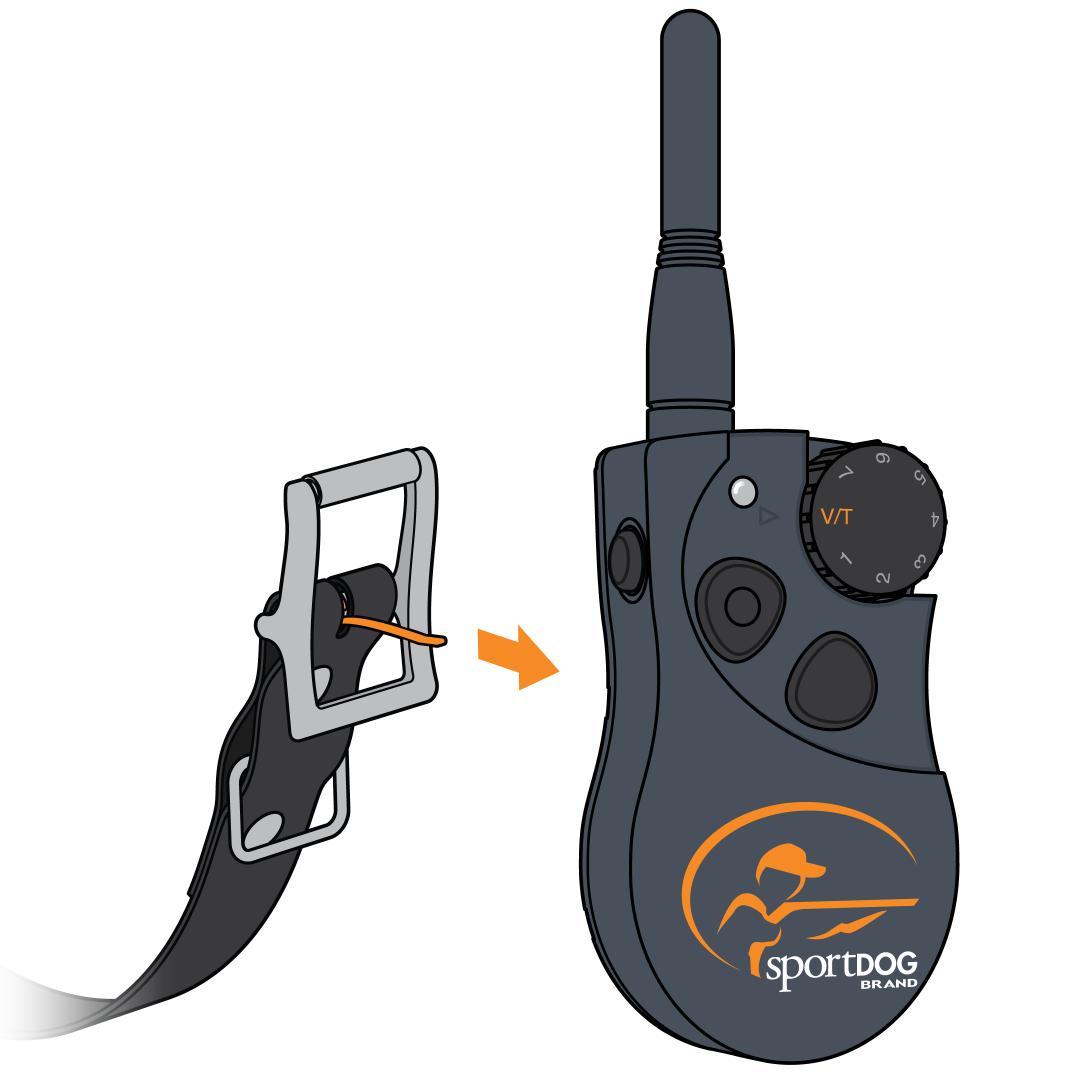
Enter ID Setup Mode.
- Turn the Intensity Dial to V/T.
- Press and hold the mode button on the back using the collar strap tine.
- Release when the Indicator Light turns green. The light stays lit for 15 seconds, and you must complete the next step within this time.
Set the first digit.
Within 15 seconds:
- Turn the Intensity Dial to your first digit.
- Press the side button. The light flashes rapidly to confirm.
For a 1-digit code, wait for the light to go out after pressing the side button. Then skip to step 5.
Set the second digit (for 2-digit codes).
- Turn the Intensity Dial to the second digit.
- Press and release the side button. The green light flashes, then turns off to confirm the 2-digit code.
Match additional remotes.
To have multiple remotes control the same collar, repeat these steps with the same ID code on each remote. If multiple remotes are unintentionally controlling one collar, assign a different ID code to the unwanted remote.
Pair the collar.
After setting the ID codes, pair the collar to one remote. Any remote with the same ID code will now work with that collar.
For pairing steps, visit How To Pair a Collar to My SportDOG® 425X, 425XS and 425XCamo.