How To Change the Battery in My SportDOG® 425X, 425XS and 425XCamo Collar
Before You Begin
If you also need to replace the rubber cover, do it while you change the battery, since both require opening the collar. For steps, see How To Change the Rubber Cover on My SportDOG® 425X 425XS and 425XCamo Collar.
How To Change Your Collar's Battery
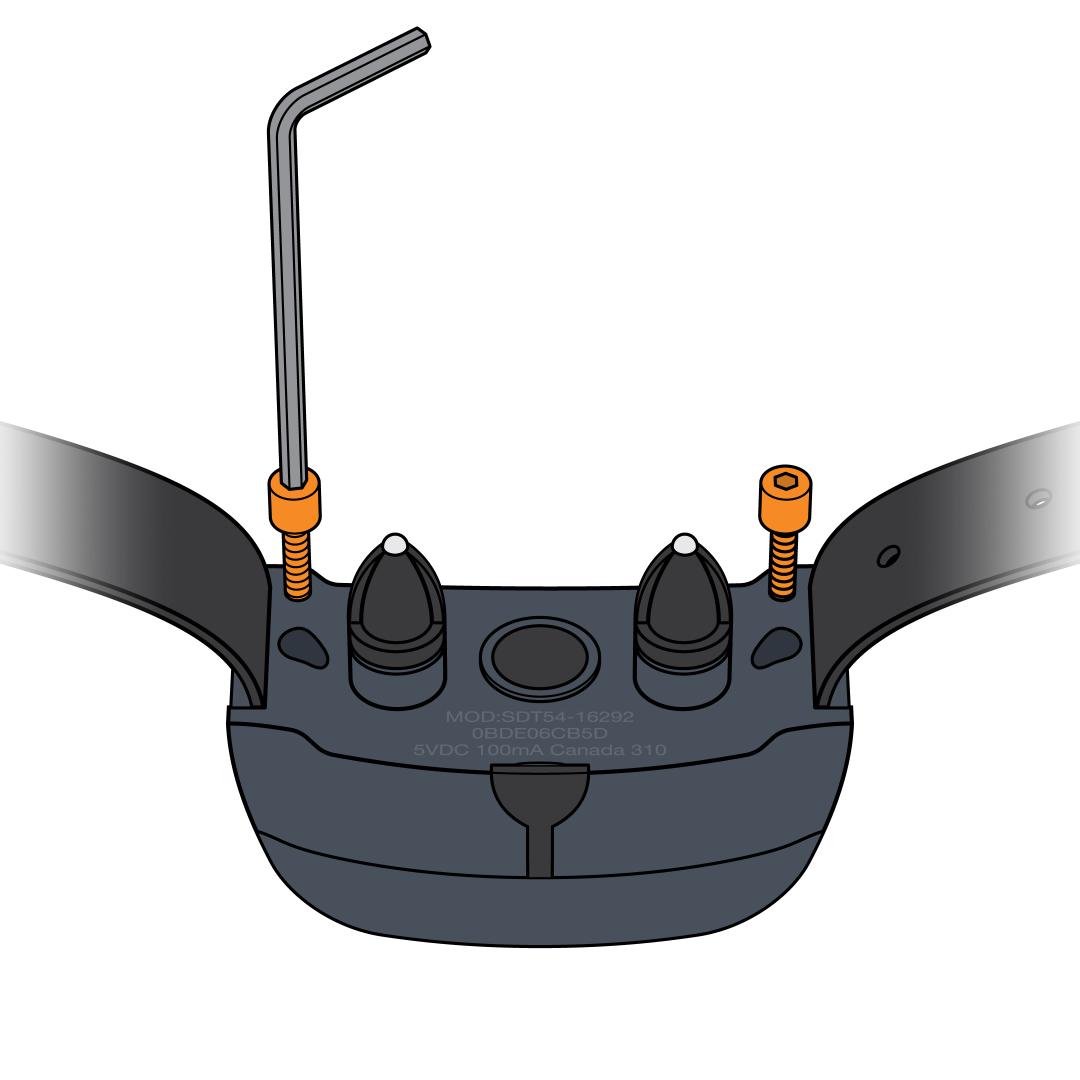
Remove the screws from the back. Use a 3/32 hex key to unscrew both screws on the back of the collar. (If you purchased a battery replacement kit from our website, a 3/32 hex key is provided.)
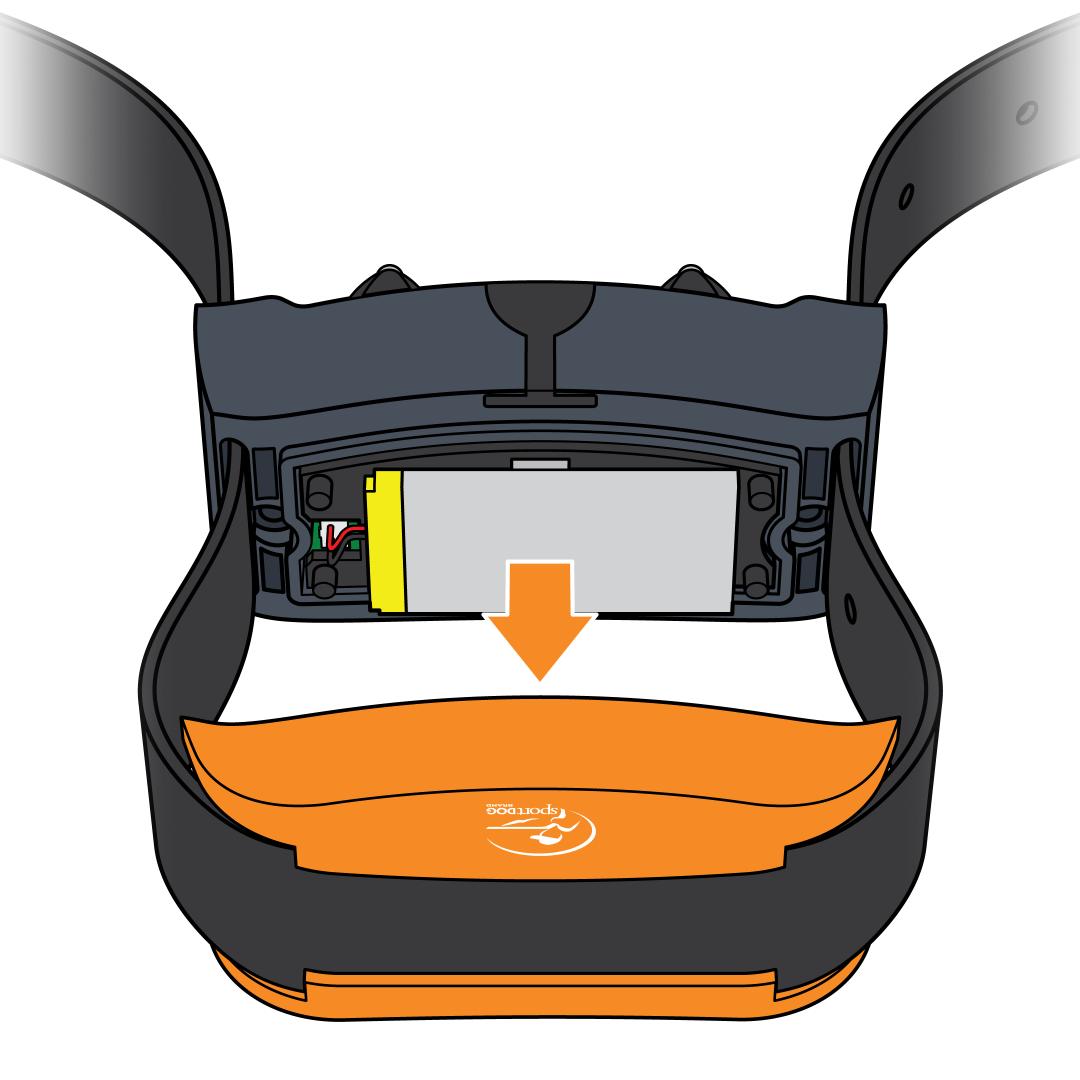
Separate the front and the back of the collar. Pull apart at the seam, allowing the strap to slide through the side slots.
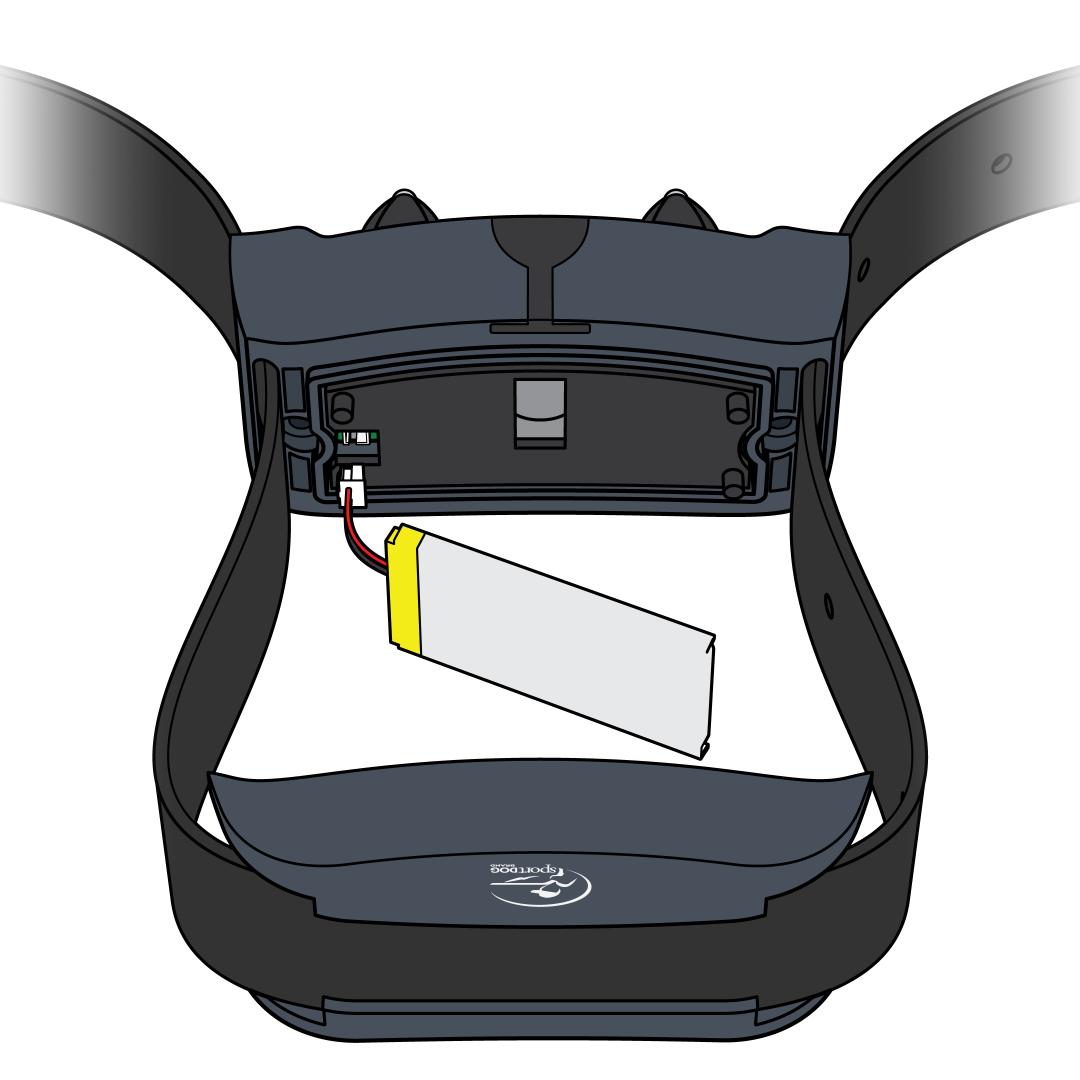
Disconnect the old battery. Pinch the wires and press against the collar for support, then pull the wire plug out of the connector. If it doesn’t come out at first, pull firmly.
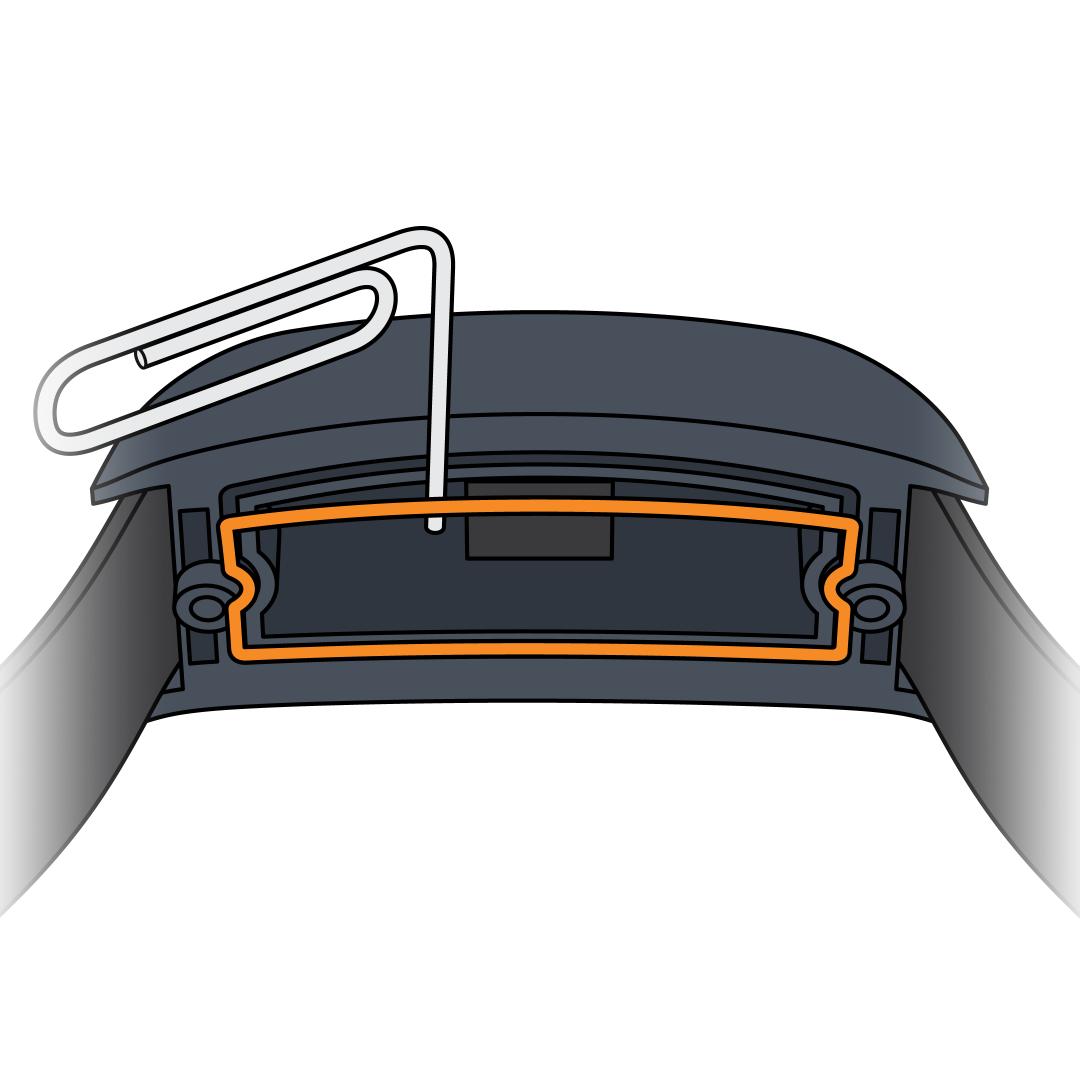
Remove the rubber gasket. Use a paperclip or similar tool to remove the rubber gasket from the battery cover. Wipe out any dirt or debris.
Install the new gasket. The gasket is provided in your battery replacement kit. Important: This step ensures the battery stays waterproof.
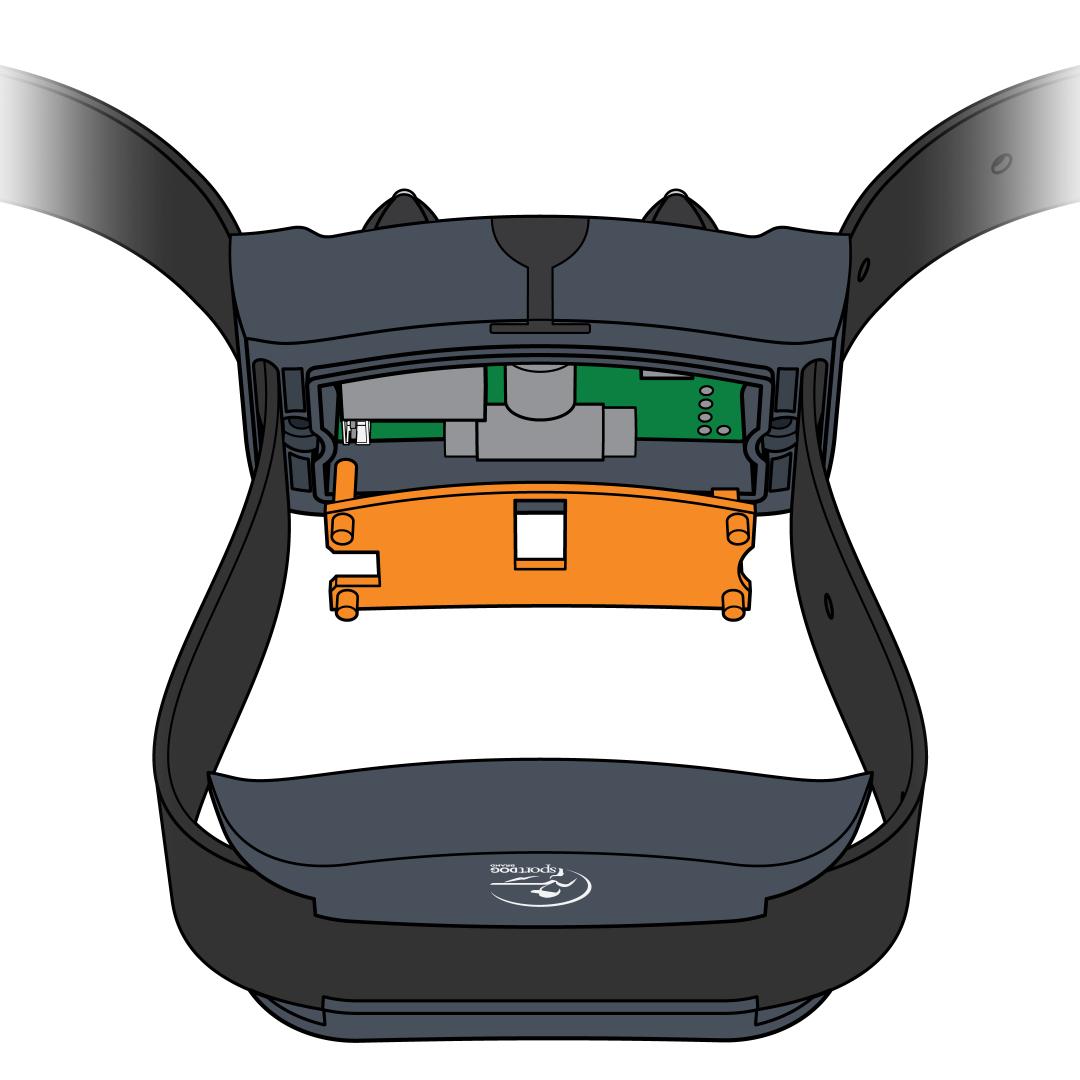
Remove the spacer plate. Remove the plate inside the collar to access the connector more easily.
Install the new battery. Connect the new battery’s wire plug.
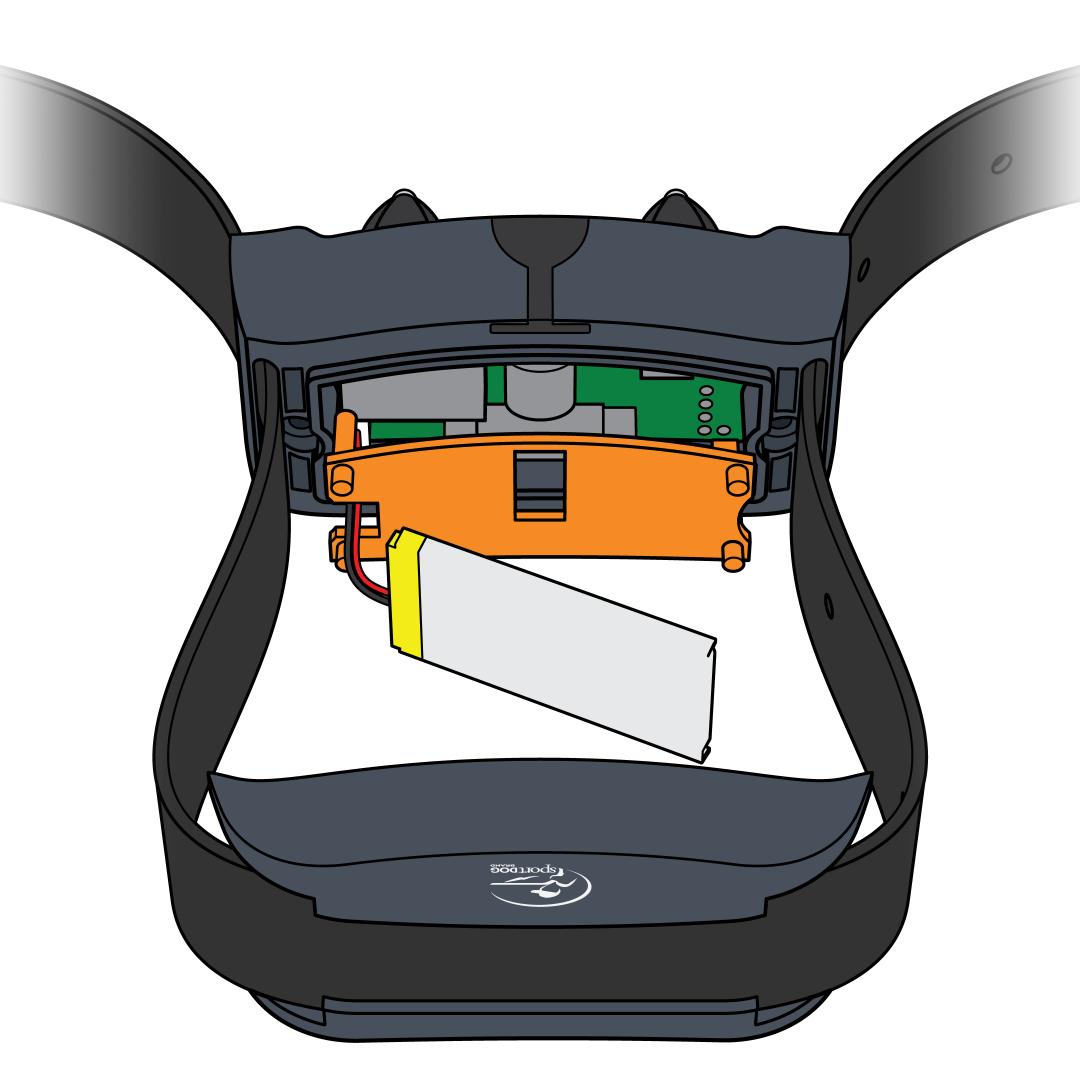
Replace the spacer plate. Set the battery on top of the spacer plate.
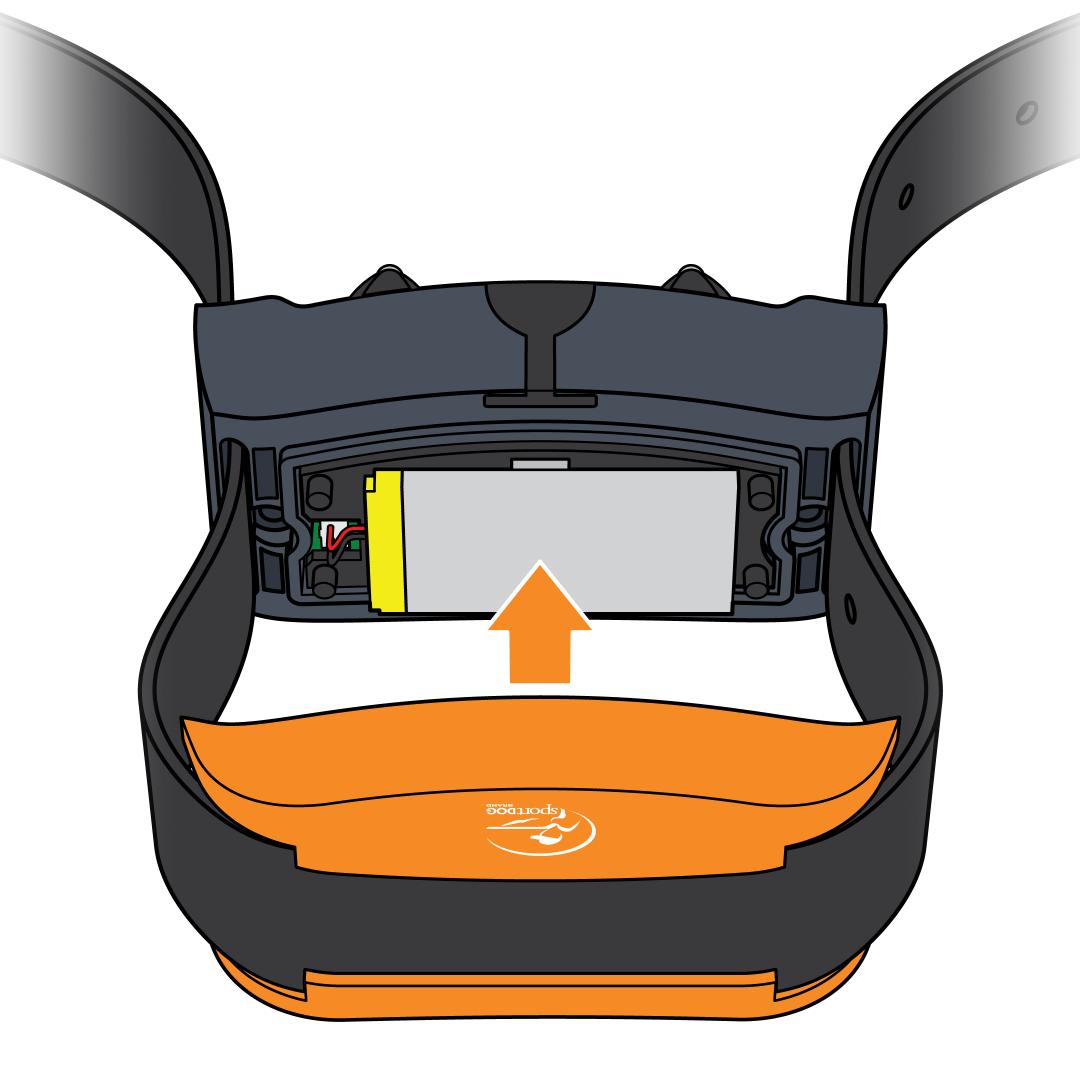
Reassemble the collar. Pull the straps back through the slots to put the collar back together. Tighten the screws with the hex key. Do not overtighten as this can damage the collar.
Pair the remote and collar. After replacing the battery, pair the remote and collar. Visit How To Pair a Collar to My SportDOG® 425X, 425XS and 425XCamo.
Get The Most Out of Your New Battery
- Charge only the component that has a low battery. The collar typically needs charging more often than the remote. The collar will indicate a low battery by flashing red every 4–5 seconds.
(Note: A solid red light during static stimulation is normal and not a low battery indicator.) - Turn the collar off between charges: Press and hold the power button until the light turns red.
- For long-term storage: Charge units once every 3 to 4 months when storing for long periods of time.